


Your audience has opinions. WordPress never gave you a clean way to hear them. A WordPress engagement plugin closes that gap.
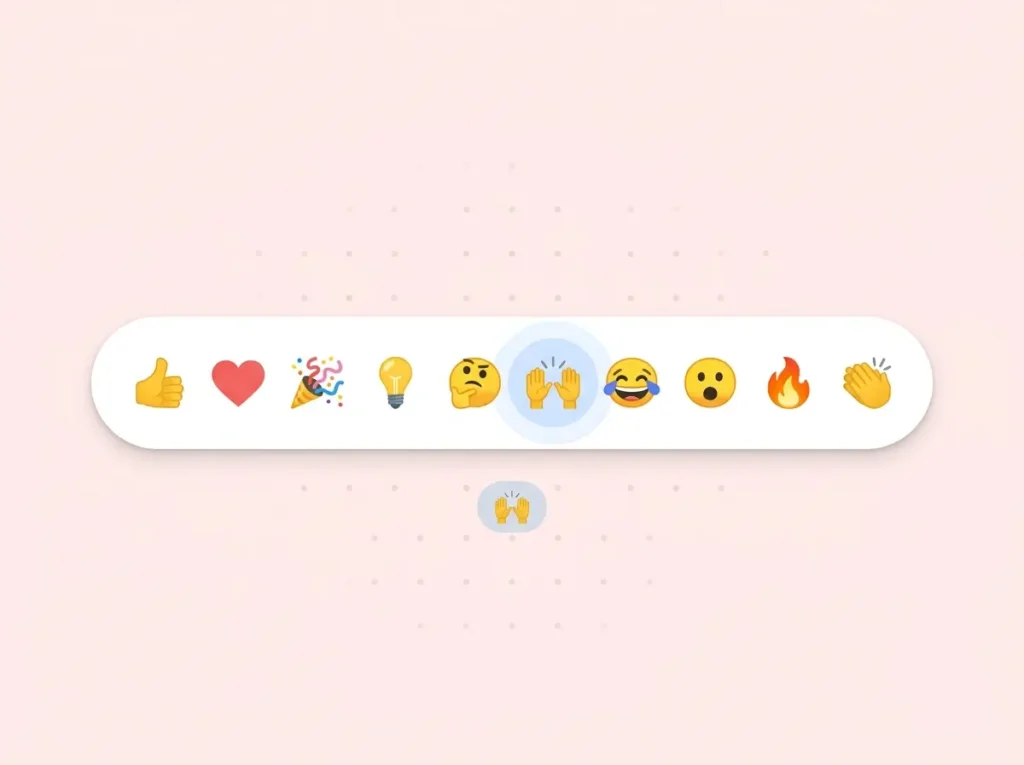
Social platforms figured out early that a simple like button tells you more than page views ever will. WordPress didn’t ship with that built in. So in 2014 we built WP ULike: a voting plugin that lets visitors react in one click and shows you what actually resonates over time.
Today, 60,000+ active WordPress sites run WP ULike. Millions of votes have passed through it on blogs, shops, forums, and community sites. It holds a 4.8★ rating on WordPress.org with hundreds of real reviews from site owners who use it every day. With WP ULike V5, the free plugin got a modern admin, live button previews, and clearer stats. WP ULike Pro adds what you need when engagement becomes central to how you run the site: deeper analytics, smarter placement, schema markup, profiles, and more.
This page is the overview behind our homepage link — why teams choose WP ULike — and what our WordPress engagement plugin does today. For a detailed free vs Pro breakdown, see our comparison guide.
Why engagement matters on WordPress
Page views tell you someone landed. Likes and dislikes tell you something landed well.
That feedback loop helps you in three practical ways:
- Content decisions — see which posts, products, or topics get real reactions, not just traffic
- Social proof — vote counts signal quality to new visitors before they read a word
- SEO potential — with Pro, real votes can feed into star ratings and structured data in Google search results
WordPress makes it easy to publish. WP ULike makes it easy to listen. Give people a simple way to react, then learn what content, products, and discussions actually resonate on your site.

And unlike hosted engagement widgets, WP ULike keeps that loop inside WordPress. Your vote data stays in your database on your hosting. Not on our servers.
What we bring to WordPress engagement
After a decade of building and refining WP ULike, a few things stand out. This is what site owners come back for — and why the article linked from our homepage still matters.
One plugin, not a pile of add-ons
Voting, stats, button design, schema markup, display rules, profiles, and GDPR tools live in one ecosystem. You don’t stitch together a like plugin, a stats plugin, a schema plugin, and a membership plugin just to understand what your audience cares about.
Works everywhere your content lives
WP ULike isn’t built for blogs only. It runs on the content types WordPress sites actually use:
- Posts, pages, and custom post types
- Comments
- BuddyPress activity
- bbPress topics
- WooCommerce and Easy Digital Downloads products
One engagement layer across your whole site. Same buttons, same data, same admin.
Metrics that mean something
Raw like counts are useful. But 50 likes on a post with 200 views tells a different story than 50 likes on 10,000 views. WP ULike Pro tracks engagement rate — button views vs. votes — so you see what truly performs, not just what got lucky with traffic. Read how that works in our engagement rate analytics guide.
Engagement you can turn into search visibility
Your audience already voted. Google just couldn’t see it. Pro’s Schema Generator turns real vote counts into structured data — aggregate star ratings, FAQ markup, and 15+ Schema.org types — from one Tools screen instead of post by post.
Privacy and trust built in
Engagement should build trust, not create a privacy headache. WP ULike gives you IP anonymization, WordPress personal data export and erase hooks, bot detection, and duplicate-vote protection. Your site, your database, your rules. See our GDPR privacy guide for the full picture.
What WP ULike does out of the box (free)
The free plugin is a full engagement tool, not a teaser. You get like buttons on posts, pages, comments, BuddyPress activity, and bbPress topics. Four button styles, a customizer for buttons and toast messages, stats, logs, shortcodes, and privacy basics like IP anonymization.
For many sites, that’s enough. Install from WordPress.org, turn it on, and start collecting honest feedback from readers, shoppers, and members.
What Pro adds when you need more
Pro installs on top of free. Same votes, same data. New tools around them. Here is where most site owners feel the upgrade — and where WP ULike goes from “nice to have” to “how we run the site.”
25+ button templates and placement control
Free includes four core styles — Simple, Heart, Twitter Heart, and Animated Heart. Pro unlocks 25+ premium templates including dislike buttons, up/down votes, Medium-style clapping, and rating faces built for review and shop-style content.
Pro also adds Display Automation under Tools: visual rules for where buttons appear on blogs vs. products vs. forums, without editing theme code. Likes below blog posts but above WooCommerce products. Engagement on BuddyPress activity but not every forum reply. Read the Display Automation guide for the full walkthrough.

Design control without code
Pick a template, then fine-tune it in the live customizer. Pro extends styling to dislike buttons, login forms, profiles, and share buttons with real-time preview — no save-and-refresh guessing.
Use Elementor? Pro includes 7+ widgets for like buttons, top posts, counters, best likers, and more. Drag them into your layout instead of wiring shortcodes by hand.

Analytics that go beyond vote counts
Free stats show you what’s getting votes. The Pro Statistics Panel helps you understand why content performs:
- Engagement overviews and daily trends
- Filters by date range and vote status
- Top content and top users with pagination
- Charts, world map, device breakdowns, and comparisons
- Exports to CSV, PNG, and SVG for reports and presentations
- Engagement rate analytics — button views vs. votes, the metric that tells you what truly performs

SEO from real engagement data
Pro’s Schema Generator turns your vote counts into structured data search engines can read. Set FAQ schema, preview star ratings from actual likes, and manage markup across your site from Tools → Schema Generator. That connects engagement on your site to visibility in Google — stars and rich results when your content earns them.
Profiles and community (without another plugin)
Pro is not a full membership plugin. But when you want logged-in users around your content, it includes:
- Public user profiles and author redirects
- AJAX login, signup, and password reset forms
- Social login, two-factor auth, and local avatars
- Top likers widgets and share buttons to spread your best content
Free handles the vote. Pro helps you build a small community layer on top.

Who chooses WP ULike — and why
Bloggers and publishers who want to know what resonates and optionally add clapping buttons or Google star ratings. One site owner put it plainly in a WordPress.org review: they wanted reader feedback without comment spam. WP ULike does that.
Shops and review sites that need buttons in specific spots, schema markup, and stats they can export. WooCommerce store owners use it so customers can leave likes on products — and Pro analytics help decide what to feature next.
Community sites running BuddyPress, bbPress, or custom post types where engagement and user accounts go together. Vote buttons on a few-thousand-member BuddyPress site get used more than many admins expect.
Agencies and developers who need a lightweight, theme-friendly plugin with shortcodes, Gutenberg blocks, and hooks — not a bloated engagement suite that slows every page load.
Getting started
- Install the free WP ULike plugin from WordPress.org
- Get a Pro license and activate it on your site when you’re ready for more
- Turn on voting for your content types, pick a template, and configure display
- Explore Pro Tools for schema, Display Automation, and GDPR when your site grows
Full setup steps are in our documentation. Pro customers get priority support when you need a hand — real answers from people who know the plugin, not copy-paste FAQs.
Built for the long run
We’ve been improving WP ULike since September 2014 because engagement is not a one-time feature. It’s something you measure, refine, and grow. Hundreds of updates later, both free and Pro still ship regularly — bug fixes, performance work, and major releases like V5 land on both versions.
Pro adds the depth. Free keeps the foundation strong. Together they turn anonymous page views into a feedback loop you can actually act on — inside WordPress, on your hosting, with data you own.
WP ULike runs on standard WordPress hosting. For our recommended host, see Recommended WordPress Hosting.
See Pro plans · Download free · Free vs Pro guide
Frequently asked questions
Is WP ULike a WordPress engagement plugin?
Yes. WP ULike adds like and dislike voting, stats, and community tools to WordPress. It helps you measure and grow user interaction on posts, products, comments, and forum content.
Do I need Pro to use WP ULike?
No. The free plugin is fully functional for like buttons, stats, and logs. Pro adds templates, analytics, schema, Display Automation, profiles, and more when you outgrow the basics.
Does WP ULike work with WooCommerce and BuddyPress?
Yes. WP ULike supports WooCommerce products, Easy Digital Downloads, BuddyPress activity, bbPress topics, comments, and standard post types. Pro adds Display Automation for finer placement control.
Where is my engagement data stored?
On your WordPress site, in your database, on your hosting. WP ULike does not send vote data to wpulike.com servers.
How is WP ULike different from other like button plugins?
WP ULike covers voting, analytics, button design, schema markup, display rules, and privacy tools in one plugin — not a stack of add-ons. Pro adds engagement rate tracking, exports, and a Schema Generator that turns real votes into Google star ratings. It’s been actively developed since 2014 with 60,000+ active installations and a 4.8★ WordPress.org rating.


Leave a Reply